GameBin 干杯 - PS1 Game Binary Hacking Tool
A downloadable tool for Windows
GameBin is a GPU-accelerated binary tile viewer for reverse engineering and romhacking workflows. Point it at a raw binary, a PlayStation 1 .tim image, or a full PS1 VRAM dump and see the bytes as pixel tiles instantly - pan, zoom, tweak the decode, and export PNGs.
Built in Rust on wgpu for a smooth, pixel-perfect viewport even at large zoom levels and big files. Ships as a single self-contained gamebin.exe: no installer, no runtime, no dependencies - just run it.
File modes
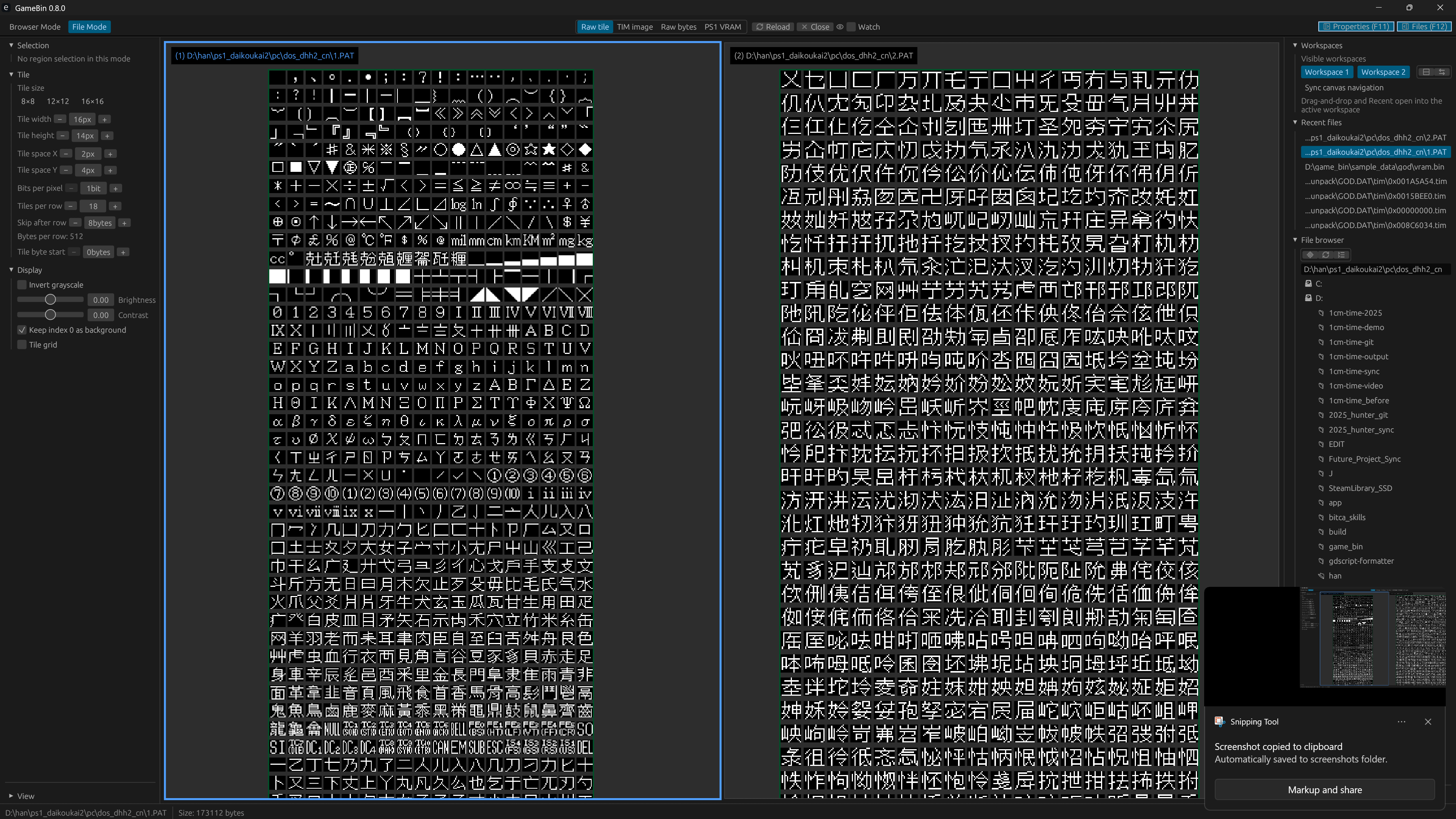
- Raw tile - interpret any binary as a tile grid (default mode)
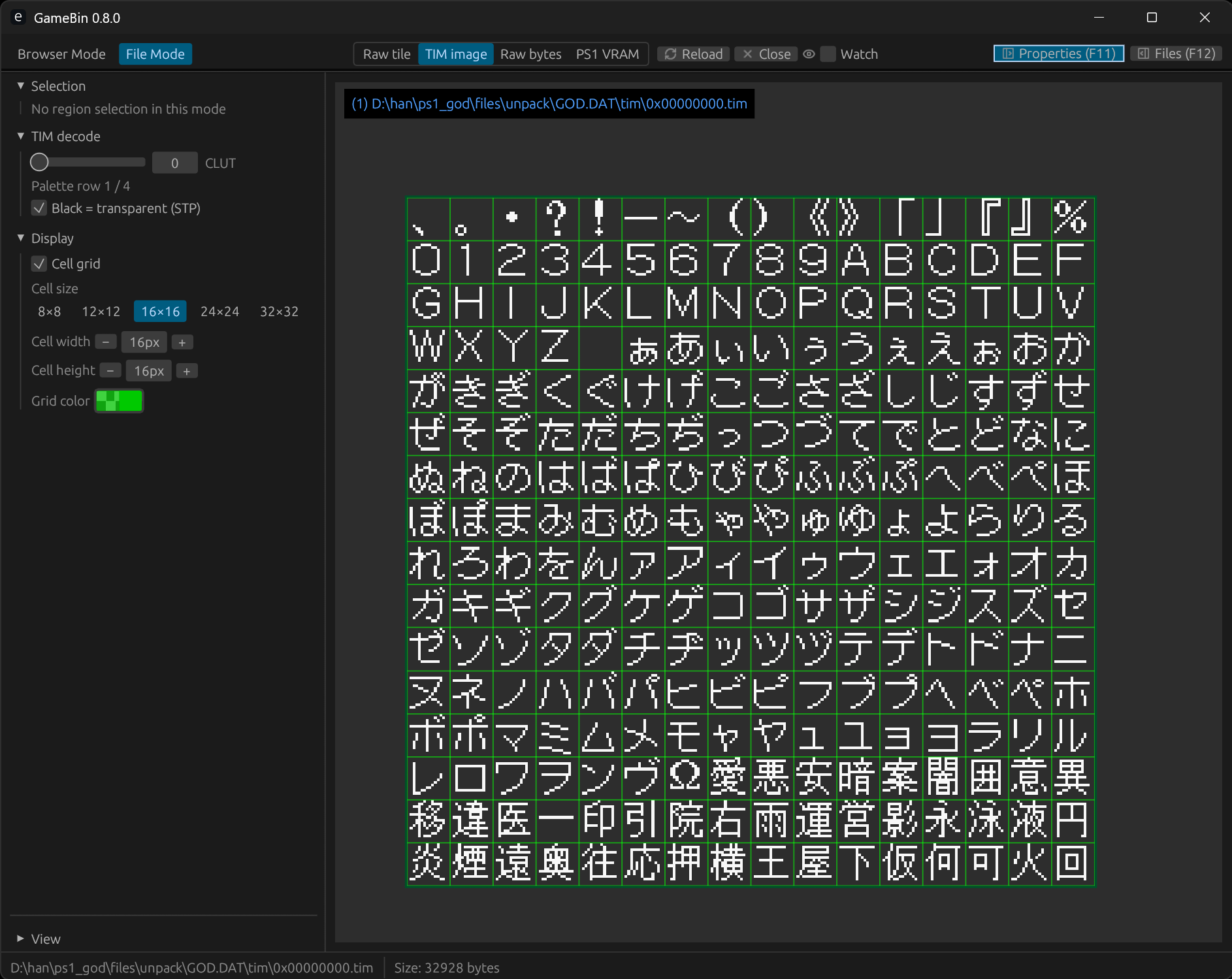
- TIM image - PlayStation 1
.timformat: 4/8/16/24 bpp, CLUT palettes, BGR15 color - Raw bytes - one byte per grayscale pixel, configurable row width (32-2048)
- PS1 VRAM - PlayStation 1 GPU VRAM dumps (1024x512x16-bit, 1 MiB) with a composite RGB16 workspace
The mode is selectable in Settings, and .tim files plus 1 MiB *vram* dumps are auto-detected on open.
Tile layout & decode
- Presets 8x8, 12x12, 16x16 plus free width/height spinners (8-32 px)
- Tile spacing (X/Y), tiles-per-row, per-tile byte start offset, and skip-after-row (extra bytes between tile rows in the file)
- Bits per pixel 1-8, with individual bit-plane toggles above 1 bpp (Alt+click to solo a plane)
- Invert grayscale, brightness and contrast (-1..1), and "keep index 0 as background"
- Optional tile-grid overlay with configurable cell size and color
PS1 TIM & VRAM tooling
- Parses standard PS1 TIM containers, including CLUT blocks and multiple palette rows
- 4 bpp, 8 bpp (indexed + CLUT), 16 bpp BGR15 and 24 bpp direct color
- Classic STP semi-transparency rule (STP bit off + black = transparent)
- VRAM composite view with optional Nib4 / Byte8 / Idx8 decode strips and layout regions
- Compact and Complete layout modes: regions can be created, dragged and resized in place, with optional grid snapping and a semi-transparent overlay
- Per-region grayscale invert / brightness / contrast for every indexed decode space; tweaks are applied on the GPU while you edit (exports still bake them on the CPU)
- Selected 4bpp region bit-plane overlay: four planes stacked below the region (plane 0 = LSB on top, 1 = white, 0 = black), anchored to the region's original VRAM box
- "Mask other decode spaces" blanks out the VRAM that other strips already own, so one view never hides another
- Region picking with a VRAM coordinate HUD, a copyable selection inspector, and PNG export for the composite or an individual region
Analysis tools
- Large 0 Space search - find long runs of
0x00bytes, highlight them on the canvas with a configurable color and minimum length, and jump to any run from the list - Workspace diff - compare the file in one workspace against the file in the other, with a color overlay, a differing-byte and region count, and an option to bridge runs separated only by zero bytes
- Selection inspector - region type, byte range, offset, length and dump text, all selectable for copy/paste
Workspaces & navigation
- Two workspaces, each with its own file, decode mode, layout and camera, and an optional synced pan/zoom for comparing two builds
- When both workspaces are visible, a split-layout toggle switches between side-by-side (workspace 1 left) and stacked (workspace 1 above)
- Swap button exchanges the files open in workspace 1 and 2 in one click
- Top toolbar with icon buttons for view mode, reload, close and watch-on-change
- File browser tree with glob include/exclude filters, drive rescan and a Locate button for the file that is open
- Recent files list; per-file camera and view settings persisted automatically
- Open via CLI argument or drag-and-drop; closing a file clears its workspace path so it will not reopen on the next launch
- Reload and optional watch-on-change when your source file is rebuilt
Browser Mode
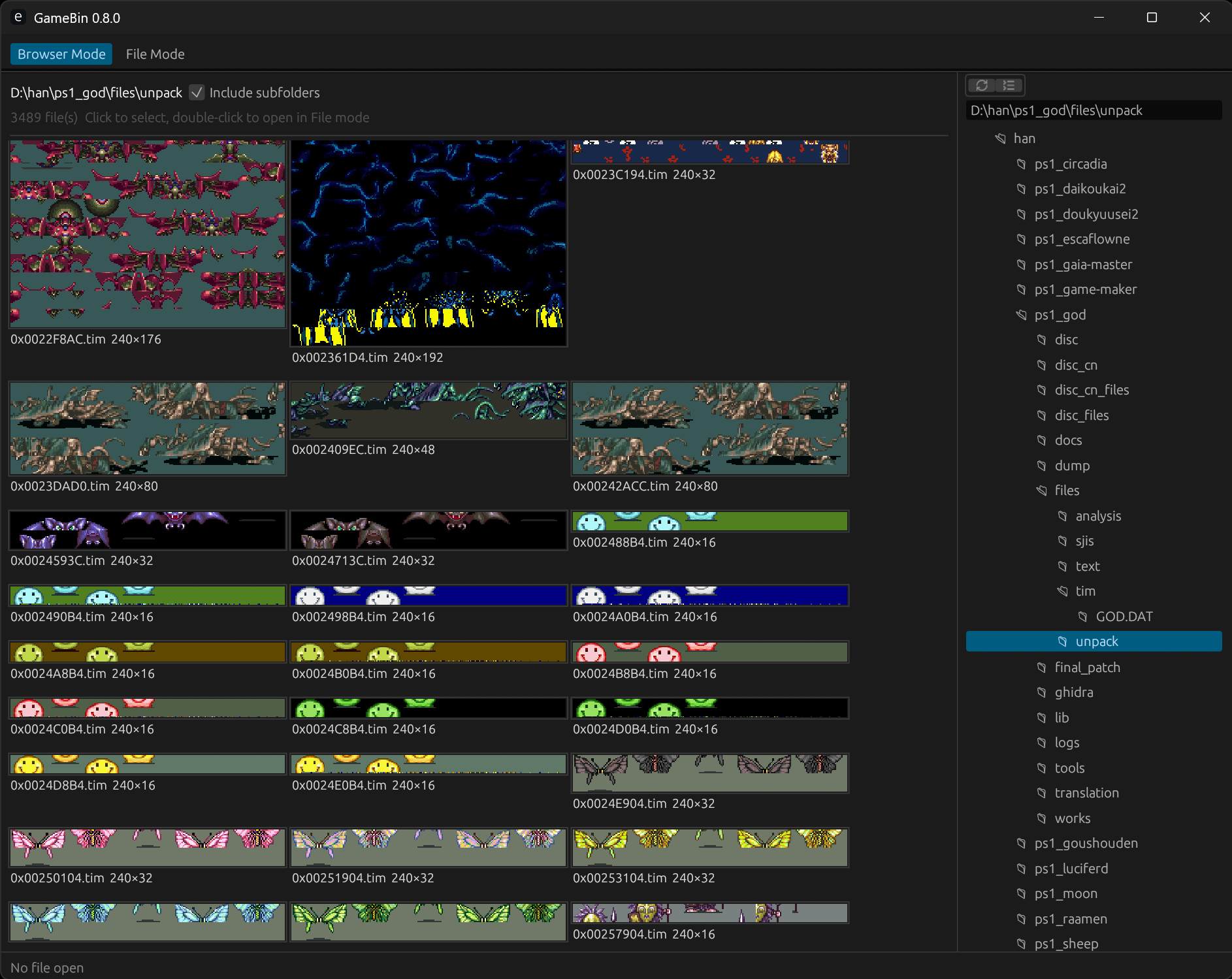
Switch the whole app to a folder-wide thumbnail grid: point it at a directory, optionally including subfolders, and every PS1 .tim is laid out at native size with format info on hover. Click to select, double-click to open it in File Mode.
Rendering & performance
- GPU tile, overview and image render paths; pixel-perfect scaling at any zoom
- Instanced tile drawing with an overview fallback so multi-megabyte files stay responsive when zoomed out
- Cached VRAM decode atlas: 4bpp / 8bpp / Idx8 index data extracted once per load; layout edits reuse the neutral base instead of re-decoding the dump
- GPU region-tweak overlay: per-region grayscale adjustments drawn as instanced quads over the neutral composite - no CPU pixel work while you drag sliders
Who it's for
ROM hackers, translators, PS1 reverse engineers, and retro game data archaeologists who need to see what is actually in a blob of bytes - quickly. GameBin is inspired by classic tools like CrystalTile2 and rebuilt with a modern GPU pipeline.
Requirements
- Windows 10/11 (64-bit) and a GPU with Vulkan/DX12 support
- No installation - download and run
gamebin.exe
Windows security note: The build is not code-signed. Your browser may warn that the download could be harmful, and SmartScreen may show "Windows protected your PC" the first time you run it. This is normal for unsigned indie tools - click Keep (or equivalent) when downloading, then More info → Run anyway to launch GameBin.
Windows security note: The build is not code-signed. Your browser may warn that the download could be harmful, and SmartScreen may show "Windows protected your PC" the first time you run it. This is normal for unsigned indie tools - click Keep (or equivalent) when downloading, then More info → Run anyway to launch GameBin.
Support & updates
Purchases include all future updates through the itch app or the downloads page. Source is MIT-licensed; the store build is a convenient, precompiled single-file binary.
Purchase
In order to download this tool you must purchase it at or above the minimum price of $5 USD. You will get access to the following files: